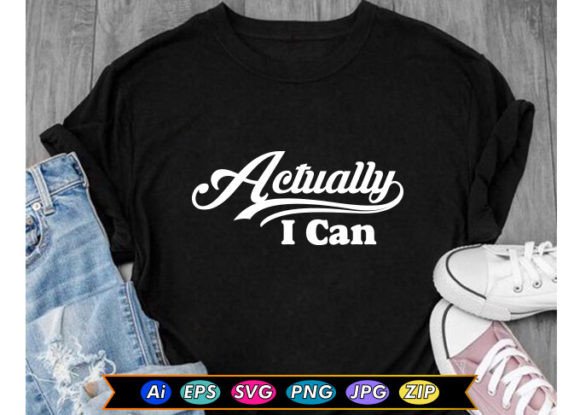
Actually I Can Motivational T-shirt: A Design Asset for Your Workflow
The phrase “Actually I Can” carries a quiet confidence—a shift from hesitation to action. When that message is turned into a wearable design, it becomes more than a piece of apparel. It becomes a tool for reinforcing mindset, branding, and creative output. The Actually I Can Motivational T-shirt design package is built for those who need professional-grade files to produce merchandise, digital content, or physical products quickly and consistently. Whether you are an entrepreneur launching a clothing line, a content creator building a personal brand, or a small business owner looking for a versatile graphic, this asset fits into real workflows without friction.
What the Actually I Can Motivational T-shirt Design Package Includes
Before integrating any asset into a process, you need to know exactly what you are working with. This design package delivers five file formats compressed into one ZIP folder:
- High Quality JPG – For quick previews, social media posts, and low-resolution mockups.
- Editable AI (Adobe Illustrator) – Allows full vector manipulation, color changes, and resizing without loss of quality.
- Editable SVG – Ideal for web use, responsive design, and further editing in tools like Inkscape or Figma.
- Editable EPS – Works with older design software and print shops that require encapsulated PostScript.
- Transparent PNG – Print-ready at 4500×5400 pixels, 300 dpi. Perfect for direct-to-garment printing, vinyl cutting, or layering on other backgrounds.
All files are from the same source vector, so color consistency and sharp edges are maintained across formats. The transparent PNG file alone eliminates the need for background removal in most production pipelines, saving time during print preparation.
Where the Design Fits into a Broader Process
A motivational quote design like “Actually I Can” is not a standalone product—it is a component in a larger system of creation, distribution, and brand building. Depending on your role, this asset can serve different stages of your workflow:
- Before a project launch: Use the editable AI or EPS to tweak colors to match your brand palette before ordering samples.
- During a creative sprint: Quickly drop the PNG onto a blank t-shirt mockup to test placement and sizing without opening heavy software.
- After a campaign ends: Repurpose the SVG for digital stickers, email signatures, or website banners to extend the life of the message.
Because the files are vector-based, scaling up for a billboard or down for a sticker is mathematically perfect. No pixelation, no rework.
Interaction with Tools, Platforms, and Teams
The design package interacts seamlessly with common tools used by creators and small businesses:
- Adobe Illustrator & CorelDRAW: Open AI and EPS files to adjust text spacing, recolor, or combine with other elements.
- Canva, Cricut Design Space, Silhouette Studio: Import the SVG or PNG directly. The transparent background in the PNG reduces prep time for cut-and-press workflows.
- Print-on-demand platforms (Printful, Teespring, Redbubble): Upload the JPG or PNG at full resolution. The 4500×5400 pixel dimension meets the requirements of most marketplaces for high-quality product images.
- Team collaboration: Share the editable AI file with a graphic designer for fast revisions. The EPS version works for production partners who use legacy software.
This compatibility means the design moves from concept to shelf without requiring you to own expensive software or learn new skills. Even if your primary tool is a web-based editor, the SVG and PNG give you immediate usability.
Apparel Production Workflow
If your goal is physical t-shirts, follow this efficient path:
- Prepare the file: Open the AI or EPS in your vector editor. Convert all text to outlines if you plan to send the file to a screen printer. This avoids font substitution issues.
- Set up print layers: If using multi-color print, separate the design elements into layers. The single-color nature of “Actually I Can” allows for easy one-screen or one-color heat press.
- Test on fabric: Use the transparent PNG on a mockup to check sizing. Common print areas: center chest (10x12 inches) or back (12x16 inches). The high DPI ensures sharp edges even on textured fabrics.
- Order samples: Before bulk production, order one sample to verify color accuracy and placement. The editable files let you pivot quickly if the design needs resizing or recoloring.
Digital Product Fulfillment
For selling the design as a digital download (e.g., on Etsy or Gumroad):
- Package the ZIP folder exactly as you received it. Add a simple license file and a preview image.
- Use the JPG for the product thumbnail. Add the transparent PNG as a second image to show the design’s versatility.
- Mention in the description that the files are compatible with major design software and print-on-demand tools. This reduces support questions.
Brand Consistency Across Merchandise
One design can become the foundation for a series of products. Use the SVG to create:
- Tote bags, phone cases, and stickers (same vector, scaled to different dimensions)
- Social media graphics with the same typography
- Email newsletter headers that echo your merchandise tagline
By keeping the source files organized in one folder, you avoid “version creep” where different formats drift apart. Each time you edit the AI file, re-export the other formats to keep them in sync.
Preparation and Organization for Long-Term Use
The ZIP folder contains all you need, but how you store and label it affects your future workflow. Consider these organizational habits:
- Rename the folder clearly: “Actually-I-Can-Motivational-Design-Master” plus the date or version number.
- Back up to cloud storage and a local drive. Design files are assets you may need years later for reorders or new products.
- Create a “sizing guide” note: Jot down which file you used for which product type. For example, PNG works for mugs, SVG for web stickers.
- If you modify the design (e.g., change text color to match a seasonal palette), save the new version as a separate file and keep the original untouched. This preserves a clean start point.
Efficiency in storage directly translates to efficiency in production. When a customer asks for a repeat order six months later, you can find the exact file in seconds.
Quality Control and Consistency Checks
Before you hit “print” or “publish,” verify these points:
- Resolution check: The PNG is 4500×5400 at 300 dpi. Confirm your printer or platform accepts that. Most do, but some automatically downscale. If they force lower resolution, start with the SVG to export at exactly their maximum spec.
- Edge bleed: The design is likely centered, but ensure at least 0.125 inches of margin if you are cutting vinyl or applying a heat transfer. The transparent PNG’s clean edges help here.
- Color profile: The AI and EPS files may use CMYK or RGB. For screen printing, convert to CMYK. For digital printing, RGB is fine. Ask your printer which they prefer.
- Font licensing: Because the text is part of the design, confirm that any inherent typography is either converted to outlines or is from a font you have rights to use on merchandise. If the AI file uses a standard system font, you are generally safe, but double-check.
Adapting the Design for Different Platforms and Products
The “Actually I Can” message works across physical and digital mediums. Here is how to match the file format to the product:
| Product | Recommended Format | Reason |
|---|---|---|
| T-shirts (silk screen) | AI or EPS | Vectors separate easily for screen creation |
| T-shirts (DTG) | PNG (transparent) | Direct upload, no background issues |
| Mugs & coasters | SVG | Scalable to small sizes without pixelation |
| Stickers (vinyl cut) | SVG or AI | Vector objects for plotter cutting |
| Social media posts | JPG | Fast load, small file size, no transparency needed |
(Note: The above table uses a simple structure; include it in your article as an HTML table)
The key is to treat each output as a separate adaptation of the same core design. By keeping the editable vector as your source of truth, you avoid recreating the design for each new use case.
Why This Approach Saves Time and Reduces Frustration
Many small business owners and creators waste hours redrawing logos or re-purchasing designs because they only have a low-resolution JPG. With the Actually I Can Motivational T-shirt package, you have the full range of editable and production-ready files from the start. This means:
- No waiting for a designer to “vectorize” your design.
- No quality loss when going from web to print.
- No scrambling to find a compatible format for a new print partner.
The upfront investment in organizing and understanding these files pays off every time you reuse them. For a durable message like “Actually I Can,” the design can remain a staple in your merchandise lineup for years without needing a refresh.
Final Thoughts on Integrating Motivational T-shirt Designs into Your Routine
A design asset is only as valuable as the system that supports it. When you receive the ZIP folder, take ten minutes to open each file, confirm it looks correct, and rename it in your asset library. Set up a folder structure that separates editable originals from exported outputs. Establish a simple naming convention (e.g., “actually-i-can-master.ai”, “actually-i-can-print.png”).
Then, when a project appears—a new product launch, a pop-up shop, a social media campaign—you can pull the exact file you need without hesitation. The “Actually I Can” message becomes not just a phrase on a shirt, but a reliable trigger in your workflow that says “I have the files, I know the process, I can execute.” That kind of readiness reduces friction and keeps your attention on the creative and business decisions that matter most.
Work with the design, not against it. Unzip, explore, and start placing it into your real-world workflows from day one.