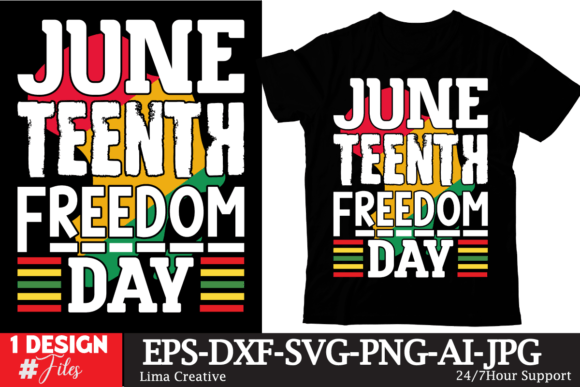
Juneteenth Freedom Day: Choosing and Using Digital Designs Respectfully and Effectively
Juneteenth Freedom Day, celebrated on June 19th, marks the true end of slavery in the United States—the day Union soldiers arrived in Galveston, Texas, in 1865 to enforce the Emancipation Proclamation. For many, it’s a day of reflection, education, and celebration of Black freedom, resilience, and culture. In recent years, the demand for digital products like SVG files, embroidery patterns, and PNG cut files has surged, helping people create custom apparel, home decor, and gifts that honor the occasion. But not all digital designs are created equal, and choosing or using them without care can lead to disappointment, wasted money, or even unintended disrespect. This article walks through common pitfalls and how to avoid them so your Juneteenth projects are both beautiful and meaningful.
Mistake #1: Overlooking File Format Requirements
A frequent error is downloading a “Juneteenth SVG bundle” without checking whether your machine or software supports the format. SVG files work well for Cricut, Silhouette, and other cutting machines, but PNG files are better for sublimation printing or direct-to-garment transfers. If you buy a set that only includes SVG, you may struggle to use it for a T-shirt design if your printer requires high-resolution PNG with transparent background. Conversely, if your embroidery machine requires a specialized format like PES or DST, an SVG file alone won’t work.
What to do instead: Before purchasing, confirm which formats are included. Reputable sellers often provide multiple formats (SVG, PNG, EPS, DXF) in one ZIP folder. Look for listings that clearly state “includes SVG, PNG, EPS, DXF” and check whether the PNG is 300 DPI or higher for crisp prints. If you need embroidery files, ensure the design is compatible with your machine’s format (e.g., PES for Brother, DST for Tajima). This simple check saves time and frustration.
Mistake #2: Ignoring the License Terms and Usage Rights
Digital downloads are not physical items, but they come with legal restrictions. Many Juneteenth SVG bundles are sold for personal use only—meaning you can make shirts for your family or a community event, but you cannot sell those shirts at your small business without an extended commercial license. A surprising number of creators accidentally violate terms because they assume “digital download” means unlimited rights. This can lead to legal notices or removal from online marketplaces.
Better approach: Read the product description thoroughly. If you’re a small business owner or freelancer planning to resell items made with the design, look for “commercial use included” or purchase a separate commercial license. Some sellers offer tiered licenses (e.g., up to 100 sales, unlimited sales). Mark it clearly in your records so you don’t re-use a personal-use design for a client order. Respecting licenses also supports Black artists and ensures the community benefits ethically.
Mistake #3: Choosing Designs Without Cultural Sensitivity
Juneteenth imagery often includes fists, Africa silhouettes, the year 1865, stars, or phrases like “Free-ish” or “Juneteenth Independence Day.” While these symbols are powerful, poorly executed designs can feel generic or even offensive if they trivialize the history. For example, using cartoonish fonts or superimposing fists over flowers without context may miss the gravity of the day. Additionally, some non-Black creators unknowingly use tribal patterns or imagery that carries specific meaning, which can be cultural appropriation.
Practical advice: Seek designs created by Black artists or designers with a clear understanding of Juneteenth’s significance. Look for collections that include historical context in the description. When choosing, consider the tone—does it celebrate freedom with dignity? Does it honor the struggle? For educators or bloggers, a clean, respectful design with 1865 and Juneteenth typography can convey the message better than busy clipart. Verify that phrases are accurate (e.g., “Emancipation Day” vs. “Freedom Day”) and avoid mixing symbols from unrelated cultures unless you have permission or background.
Mistake #4: Neglecting Resolution and Scaling for Different Projects
A pixelated design ruins a shirt, sticker, or embroidery. Many buyers grab a “Juneteenth PNG” without checking pixel dimensions, then wonder why it looks blurry when printed on a 12×12 inch tote bag. For sublimation, low-resolution files produce washed-out colors and rough edges. For cut files, paths that are not closed or too thin can break during cutting. This is especially common with free or cheap bundles that are upscaled from 72 DPI web graphics.
How to avoid this: Always verify the DPI and dimensions. For print projects, 300 DPI at the final print size is standard. For cutting machines, review the design’s line art—thick enough to hold together (at least 1-2mm). If you plan to resize a design, start with vector files (SVG, EPS) because they scale infinitely without losing quality. Test cut or print a small sample before committing to bulk production. Sellers who offer a “preview of all designs” often let you see the level of detail; choose those with clean, well-spaced lines.
Mistake #5: Overlooking Color Management
Juneteenth designs frequently use red, black, and green (Pan-African colors) or red, white, and blue (American freedom themes). But digital colors on screen rarely match printed colors exactly, especially with sublimation or certain fabric types. You might receive a design that appears vibrant red on your monitor but prints as orange on a polyester shirt. This can disrupt the intended symbolism—for example, “Black History Month” designs sometimes lose their deep green or black tones when printed on dark garments.
Better practice: Use a color profile that matches your printer and material. Many experienced creators request a “color swatch test” from their sublimation or DTG printer. When buying a digital file, check if the preview shows the exact colors on a white background versus a black background. Some sellers provide a color chart or note if the design works best on certain shirt colors. If you’re making a shirt for a Juneteenth event, test a small area first. Also, consider using PNG files with transparent backgrounds so you can layer colors freely on different substrates.
Mistake #6: Not Checking for Design Errors or Missing Elements
Digital downloads are sometimes rushed, leading to typographical errors (e.g., “Junteenth” instead of “Juneteenth”), broken paths, or missing layers in the ZIP folder. A phrase like “Juneteenth 1865” might have the numbers cut off in the SVG preview. For embroidery files, incorrect stitch count or improper underlay can cause fabric puckering. Beginners often assume all files are perfect and then face project failure mid-way.
What to check before downloading: Look at customer reviews closely. Many sellers show images of finished projects in their listings. If you see reviews mentioning “typo” or “file didn’t open,” avoid that seller. Once you download, open every file in your software before starting a project. For SVG, view it in a browser or vector editor to verify paths are closed. For embroidery, run a simulation in your editing software. Reputable sellers often include a troubleshooting guide or support contact; use it if anything seems off. A few extra minutes of inspection can prevent wasted materials and disappointment.
Mistake #7: Using the Wrong File for Your Application
Even if you have the right format, you might still choose the wrong variant. For example, a “Juneteenth SVG” designed for cutting may have intricate thin lines that work for vinyl but not for screen printing. An embroidery design with high stitch density may be too heavy for a lightweight T-shirt. Or a PNG with a white background will ruin a sublimation transfer because the white area blocks ink. These subtleties are often overlooked by hobbyists and even some small business owners.
Solution: Understand the intended use. For cutting machines, choose SVG files labeled “cut file” with layers separated by color. For printing (e.g., sublimation, DTG, standard inkjet), select PNG files with transparent backgrounds at high resolution. For embroidery, pick a design that mentions “embroidery machine format” and note the recommended hoop size and fabric type. If a bundle claims to work for everything, test with one application first. Many experienced creators keep separate folders for “cut,” “print,” and “embroidery” to avoid confusion. When in doubt, ask the seller—most are happy to clarify.
Final Practical Tips for Juneteenth Digital Downloads
Whether you’re designing a shirt for a community parade, creating social media graphics for your blog, or producing gifts for a family celebration, digital Juneteenth designs can be a powerful tool. To ensure success, start by setting clear goals: Is this for personal use, resale, or educational content? Then purchase from vendors who respect the culture and provide clear licensing, multiple file formats, and responsive support. Always review the design details—colors, spelling, file integrity—before you cut or print. And remember, the best Juneteenth designs honor the historical weight of the day while celebrating the ongoing journey toward freedom. By avoiding these common mistakes, you’ll create projects that not only look professional but also carry genuine meaning.
As you browse for “Juneteenth SVG bundle,” “Black History embroidery design,” or “Juneteenth 1865 machine embroidery design,” keep these guidelines in mind. A careful approach saves money, reduces waste, and ensures that your celebration of Juneteenth Freedom Day is both beautiful and respectful. Happy creating—and Happy Juneteenth.