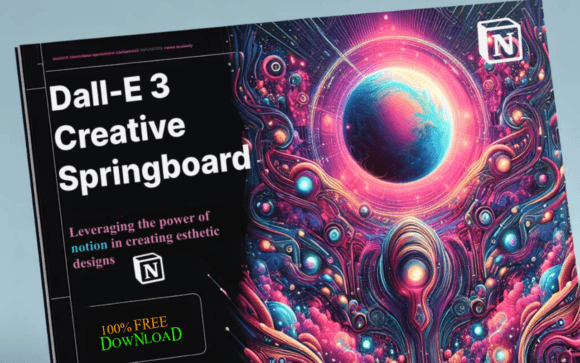
DALL-E 3 Creative Springboard – FREE: A Practical Guide to Using AI Prompts Without Wasting Time
If you have spent any time generating images with DALL-E 3, you already know the frustration: you type a prompt, the result looks nothing like what you imagined, and you end up tweaking words for twenty minutes with mixed results. The DALL-E 3 Creative Springboard – FREE ebook aims to remove that guesswork. It offers curated prompts, shows how to organise your AI art with Notion, and encourages using ChatGPT as a brainstorming partner. But like any tool, you can use it well or you can use it poorly. This article walks through the common missteps people make with resources like this—and how to avoid them so you actually produce work you are proud of.
What the DALL-E 3 Creative Springboard Actually Does
At its core, the DALL-E 3 Creative Springboard – FREE is a structured collection of prompt ideas and workflows designed to help you generate better AI imagery faster. It is not a software plugin or a magic button. It is a guide that organises creative direction into something repeatable. The ebook includes curated prompt examples, tips for using Notion to catalogue your generated art, and strategies for using ChatGPT to refine your prompts before you feed them into DALL-E 3. If you create flyers, banners, posters, book covers, or any marketing visuals, this resource can save you the trial-and-error phase—provided you use it correctly.
Mistake One: Treating the Prompts as Final, Not as Starting Points
The biggest error people make with any prompt collection—including the DALL-E 3 Creative Springboard – FREE—is copying a prompt word for word and expecting a perfect result every time. DALL-E 3 is sensitive to wording, but it also interprets context, style cues, and compositional details differently depending on the rest of your prompt. A curated prompt that works beautifully for someone designing a fantasy novel cover may feel flat when you use it for a corporate webinar banner.
What happens when you copy without adapting
You end up with images that feel generic or slightly off. The composition might be fine, but the mood, colour palette, or subject placement does not match your brand or message. You then spend extra time editing the output or generating multiple versions anyway. That defeats the purpose of using a springboard.
A better approach
Treat each prompt in the DALL-E 3 Creative Springboard – FREE as a scaffold. Read it, identify the key elements: subject, setting, lighting, colour tone, and artistic style. Then swap out the subject or setting with something relevant to your project. For example, if the prompt describes “a sunlit library with floating pages,” and you need a tech banner, change the library to a modern server room and the floating pages to floating data streams. You keep the compositional structure while making the output yours.
Mistake Two: Ignoring the Notion Workflow Component
The ebook emphasises using Notion to organise your AI art and design assets. Many people skip this part because they assume it is extra overhead. They generate images, save them in a downloads folder, and later forget which prompt produced which result. Six weeks later, they try to recreate a specific look and cannot remember the wording.
Why this hurts your efficiency
DALL-E 3 does not store your prompt history indefinitely, and even if it does, searching through a long list of generations is slow. Without a system like the Notion workflow recommended in the DALL-E 3 Creative Springboard – FREE, you lose the ability to scale your design work. Each new project starts from scratch rather than building on previous successes.
How to use the workflow properly
Set up a simple Notion database with columns for: prompt text, image thumbnail, date created, project name, and a rating column (great, good, needs work). After you generate an image you like, paste the prompt into the database and save the image. Next time you need a similar style, you search your database instead of starting from zero. The ebook gives you a framework, but you still have to commit to the habit. Even fifteen seconds of logging after each generation pays off within a week.
Mistake Three: Using ChatGPT Only as a Spinner, Not as a Refiner
The DALL-E 3 Creative Springboard – FREE suggests using ChatGPT as a brainstorming partner and prompt refiner. A common misunderstanding is that you simply ask ChatGPT to “make this prompt better” and paste the result directly into DALL-E 3. That often produces prompts that are longer but not more effective. ChatGPT can add extraneous adjectives or mix stylistic instructions in ways that confuse the image model.
What goes wrong
You might get a prompt that reads: “A highly detailed, photorealistic, cinematic, low-angle shot of a woman walking through a foggy street, with dramatic lighting, volumetric fog, 8K, hyperrealistic texture, moody atmosphere, trending on ArtStation.” DALL-E 3 handles some of these terms well, but stacking too many style qualifiers can dilute the core subject. The image may become cluttered or stylistically inconsistent.
A smarter way to work with ChatGPT
Instead of asking for unlimited enhancement, give ChatGPT a specific goal. Say: “Here is a base prompt for a marketing flyer. Refine it to emphasise a clean, minimal aesthetic with strong contrast. Remove any terms that suggest hyperrealism or fantasy.” Then review the output, delete anything that does not serve your purpose, and paste the cleaned version into DALL-E 3. The DALL-E 3 Creative Springboard – FREE works best when you treat ChatGPT as an editing partner, not a prompt factory.
Mistake Four: Overlooking the Context of Your Output Medium
A prompt that produces a stunning full-screen image on your monitor may look terrible when compressed into a social media thumbnail or printed on a poster. The DALL-E 3 Creative Springboard – FREE includes prompts for flyers, banners, posters, and book covers, but it does not automatically adjust for the technical constraints of each format. Many beginners assume a good prompt equals a good final asset, regardless of where it will appear.
How this affects quality and usability
Text may get cut off, important details may fall outside the safe zone for printing, or the resolution may be too low for large formats. You could spend an hour perfecting a poster design only to discover that the title area overlaps with a critical visual element.
What to check before you finalise
Before you generate, think about the aspect ratio. DALL-E 3 allows you to specify different sizes. For a book cover, use a vertical ratio. For a banner, use a wide horizontal ratio. Also, leave some negative space around edges where text or logos will go. The DALL-E 3 Creative Springboard – FREE prompts can be adapted by adding a simple instruction like “leave empty space on the top and bottom for text overlay” or “compose the subject slightly to the left.” This small habit saves enormous editing time later.
Mistake Five: Expecting the Ebook to Replace Your Design Judgment
No matter how good the DALL-E 3 Creative Springboard – FREE is, it remains a tool. It will not make creative decisions for you. Some people download it, scan the prompts, and feel disappointed when they still have to curate, tweak, and reject outputs. They expected a push-button solution. AI image generation still requires human taste, especially when the output is used in professional contexts like marketing or branding.
Why this leads to dissatisfaction
You end up with images that look technically fine but lack strategic alignment. A flyer for a yoga studio should feel calm and open; a flyer for a cybersecurity workshop should feel precise and trustworthy. The prompt structure from the ebook can help with both, but you have to choose the right tone and edit accordingly. If you treat the prompts as final, you miss that layer of intention.
How to integrate your own perspective
Before you open the ebook, write down three words that describe the feeling or message your image needs to convey. Then find a prompt in the DALL-E 3 Creative Springboard – FREE that matches at least one of those words. Adapt the rest. If no prompt feels right, use the ebook’s framework to build your own from scratch. The value is in the method, not the list.
Mistake Six: Skipping the Testing Phase
When you find a prompt that works, it is tempting to use it repeatedly. The DALL-E 3 Creative Springboard – FREE provides strong starting points, but AI models update over time. A prompt that produced excellent results in January may produce mediocre results in July because DALL-E 3’s underlying model has changed or because your style preferences have evolved.
The hidden cost of not testing
You may end up with a batch of images that look dated or inconsistent with your current brand. For entrepreneurs and small business owners who use AI art across multiple platforms, that inconsistency can erode trust. Customers notice when your visuals shift randomly from one style to another.
A simple testing habit
Every few weeks, test two or three of your favourite prompts from the DALL-E 3 Creative Springboard – FREE with a fresh generation. Compare the new result to the old one. If the quality or style has drifted, update the prompt. Add newer descriptive terms or remove ones that no longer produce the look you want. Keep your Notion database current so you always have a reliable reference.
What to Check Before You Start Using the Ebook
Before you dive into the DALL-E 3 Creative Springboard – FREE, take five minutes to verify a few practical points. First, confirm that you have access to DALL-E 3 through a valid platform—ChatGPT Plus or the OpenAI API. The ebook assumes you already have that. Second, decide what you want to create first. A single project gives you a concrete testing ground. Third, set up your Notion database even if you only put five prompts in it. That initial structure makes the rest of the workflow easier to adopt. Finally, adjust your expectations: the ebook is a springboard, not a final destination. Your judgment, your edits, and your willingness to iterate are what turn those prompts into compelling visuals.
The DALL-E 3 Creative Springboard – FREE is genuinely useful for anyone who creates visual content regularly, but its real value appears when you use it as a starting point rather than a crutch. Avoid the mistakes of blind copying, skipping organisation, overloading prompts, ignoring output format, abandoning your own taste, and failing to retest. Do those things, and you will generate better AI art in less time—and you will enjoy the process a lot more.